Using MLFlow with Keras Tuner
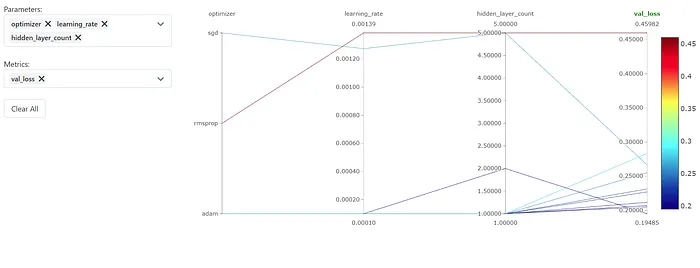
Photo by Resource Database™ on Unsplash
Hello, everyone! Today I needed to use Keras Tuner for my task and I wanted to track the hyperparameters with MLFlow. But I couldn’t find any good resources on the Internet. So, I figured it out myself and decided to share it with everyone. Let’s get started!
It’s actually pretty straightforward and I will directly give the answer. The solution is subclassing the HyperModel class. First, do your imports and set the experiment name:
import pandas as pdfrom numpy.random import default_rngfrom model import SGNNfrom keras_tuner import HyperParameters, BayesianOptimizationimport tensorflow as tfimport mlflowimport keras_tunermlflow.set_tracking_uri("http://localhost:5000")mlflow.set_experiment("My Experiment Name")Second subclass the HyperModel class:
# Create a HyperModel subclassclass SGNNHyperModel(keras_tuner.HyperModel): def build(self, hp): # Create your model, set some hyper-parameters here model = SomeModel() return model def fit(self, hp, model, *args, **kwargs): with mlflow.start_run(): mlflow.log_params(hp.values) mlflow.tensorflow.autolog() return model.fit(*args, **kwargs)Normally, we create a function that takes the HyperParameters object and returns a model. This function is the build method in our new class. In the fit method, we have the model, hyper-parameters, and args to give the standard fit method of Keras. Using/Inside MLflow’s start_run function, we can log our parameters. With the “autolog”, other parameters and model artifacts will be stored too! Now all you need to do is start searching:
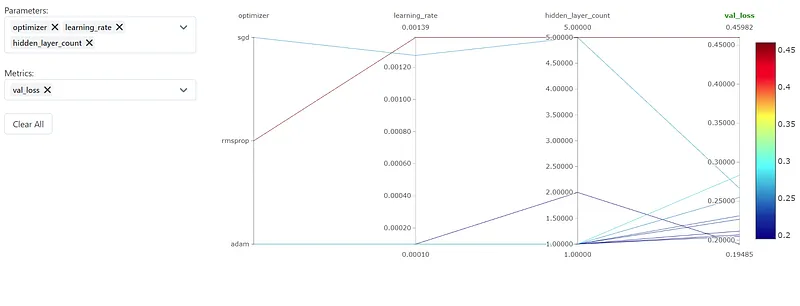
tuner = BayesianOptimization( SGNNHyperModel(), max_trials=20, # Do not resume the previous search in the same directory. overwrite=True, objective="val_loss", # Set a directory to store the intermediate results. directory="/tmp/tb",)train, test = load_dataset()tuner.search(train, epochs=5, validation_data=test)best_model = tuner.get_best_models()[0]best_hyperparameters= tuner.get_best_hyperparameters()[0].valuesAnd that’s it! You can see your models in the MLflows UI and compare them however you want!
I hope this will help, thanks for reading!